Choosing between a period tracker app and an online tracker sounds like a software decision, but it is really a life-fit decision. Where will you enter a period start date when it arrives unexpectedly? Do you want a dedicated icon on your phone, or would you rather open a private browser page only when you need it? Do you need history across devices, or only a quick estimate today?
The best period tracker is not automatically the one with the longest feature list. It is the one whose data practices you understand, whose estimates are presented honestly, and whose routine is simple enough that you will record the information that actually matters.
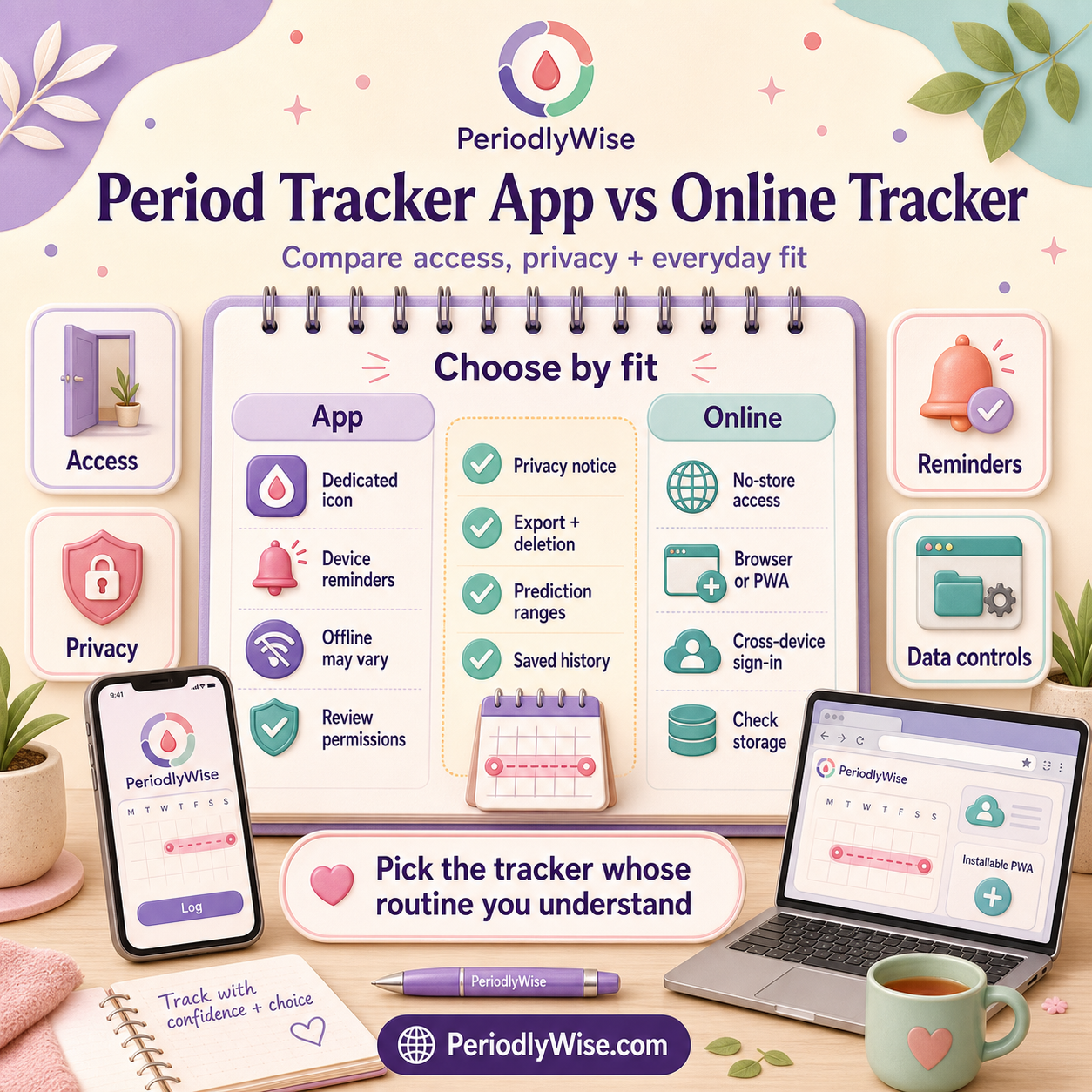
The same basic job, through a different door
Both formats can estimate a next period from information such as your last period start date and usual cycle length. Both may also show an estimated fertile window, ovulation timing, cycle history, symptom notes, or reminders. Being installed does not automatically make a tracker more accurate, and opening in a browser does not automatically make it less capable.
Prediction quality depends more on the information entered, the amount of reliable history available, the way irregular cycles are handled, and whether the product presents a realistic range instead of treating one date as certain. Read How to Calculate Your Next Period Date and Cycle Length Meaning to understand the dates behind either format.
A practical decision map
You value a dedicated icon, device reminders, widgets, wearable links, or features designed around one phone.
You want immediate browser access, no store download, less device clutter, or the option to use a laptop as well as a phone.
You want records to follow you across supported devices and you are comfortable with the service storing them under an account.
You want a quick calculation and prefer not to create a record-rich account unless the feature requires it.
Seven questions that matter more than app versus website
- What information does it collect? A start date is sensitive. Mood, sexual activity, pregnancy intentions, symptoms, medication, and location can be even more revealing.
- Where is information stored? It may stay in browser storage, remain on the device, sync to an account, or be processed by service providers. The privacy notice should explain this.
- Can you use the basic tracker without an account? An account can make history portable, but it also changes how records are stored and retrieved.
- Can you correct, export, or delete records? A useful tracker should let you manage mistakes and understand what deletion covers.
- Does it explain uncertainty? Period, ovulation, and fertile-window dates are estimates. Irregular cycles need wider, more honest windows.
- Does it ask for permissions it does not need? Review requests for notifications, contacts, location, photos, health-platform access, or advertising identifiers.
- Will the routine work on a difficult day? If recording one start date requires too many screens, the most polished product may still be the wrong fit.
How access differs in everyday life
On your usual phone: an installed app can feel immediate because it has an icon and may support system notifications. A well-made online tracker can also be added to the home screen, bookmarked, or installed as a progressive web app when the browser supports it.
On a new phone or computer: account-based tools may restore saved history after sign-in. Local-only records may stay with the original browser or device and can disappear if browser data is cleared. Check the product's actual storage model; do not infer it from whether it looks like an app.
With poor connectivity: some native apps and some progressive web apps support limited offline use, but this varies. A browser-based tool usually needs a connection for initial loading and for account syncing.
For reminders: native apps often have mature notification controls. Browser or installed-web notifications depend on the device, browser, permissions, and whether the site provides them. Calendar exports can be a quieter alternative.
Where PeriodlyWise fits
PeriodlyWise is an online period and cycle tracker that opens in a supported browser. The basic Period Tracker can be used without creating an account. Features that depend on saved private history, such as irregular-cycle tracking and returning to account records, require sign-in.
On supported browsers, PeriodlyWise can also be installed as a progressive web app. That adds a home-screen or desktop entry while keeping the same PeriodlyWise web experience. In other words, you can use it as a website, install it for app-like access, or move between the two depending on the device.
For the site's approach to cycle information, local estimates, account records, consent, and sensitive data, read Privacy-First Cycle Tracking, the Privacy Policy, and the Cookie Policy.
Choose by scenario, not by label
- You only need a quick next-period estimate: an online tracker without mandatory sign-in may be enough.
- You want several months of private history: compare account security, data controls, export, deletion, and device access.
- You frequently change devices: synced account history may matter more than whether the product came from an app store.
- You avoid notifications: a browser bookmark can feel calmer than a dedicated app.
- You need reminders: check exactly which reminder methods are supported on your device.
- Your cycles are irregular: choose a tool that learns from real start dates and shows ranges, then read Track Irregular Periods Without Guessing.
What to record whichever tracker you choose
A tracker becomes more useful when the record is small, consistent, and meaningful. Start with the first day of full flow, bleeding duration, cycle length, and whether timing differed from your usual range. Add flow, pain, spotting, symptoms, medication or contraception changes, sleep, stress, illness, travel, and what helped only when those details answer a real question.
You do not need to document every sensation. Learning Your Cycle Without Obsessing Over It explains how to keep tracking proportional and kind.
What neither format can promise
No period tracker app or online tracker can guarantee the day your next period will start, confirm ovulation, diagnose a condition, or serve as a stand-alone contraceptive method. Stress, illness, travel, sleep changes, contraception, pregnancy, postpartum changes, perimenopause, PCOS, thyroid conditions, and normal biological variation can all affect timing.
If you have very heavy bleeding, severe or new pain, fainting, shortness of breath, possible pregnancy with unusual bleeding or pain, bleeding after menopause, or another worrying change, seek qualified medical care rather than waiting for a prediction to explain it.
FAQ
Is a period tracker app more accurate than an online tracker?
Not simply because it is installed. Accuracy depends on the dates and history entered, the calculation method, cycle regularity, and how uncertainty is communicated.
Can I use PeriodlyWise like an app?
Yes, on supported browsers PeriodlyWise can be installed as a progressive web app. You can also keep using it directly in the browser.
Do I need an account to track my period online?
It depends on the service. PeriodlyWise's basic Period Tracker works without an account, while saved account history and irregular-cycle features require sign-in.
Which option is more private?
Neither format is automatically more private. Read the privacy notice, check permissions and sharing, understand storage, and review deletion and account controls.
Open PeriodlyWise in your browser for a quick estimate, then decide whether a bookmark, home-screen installation, or private account history suits your routine.
Open the Online Period Tracker